
PASSENGER APP
Your rides. Simply there.
With the “MitaBase” app you request a patient ride, accept a transport service’s offer and see when the driver arrives. With your own transport service or with services near you.
The app is free. You pay the transport service, not the app.
On the App Store and Google Play.

Four steps to the ride
Enter the ride
Pick-up, destination and time: now or later, one way or with a return. You can leave the return on call and report it later with one tap.
Send the request
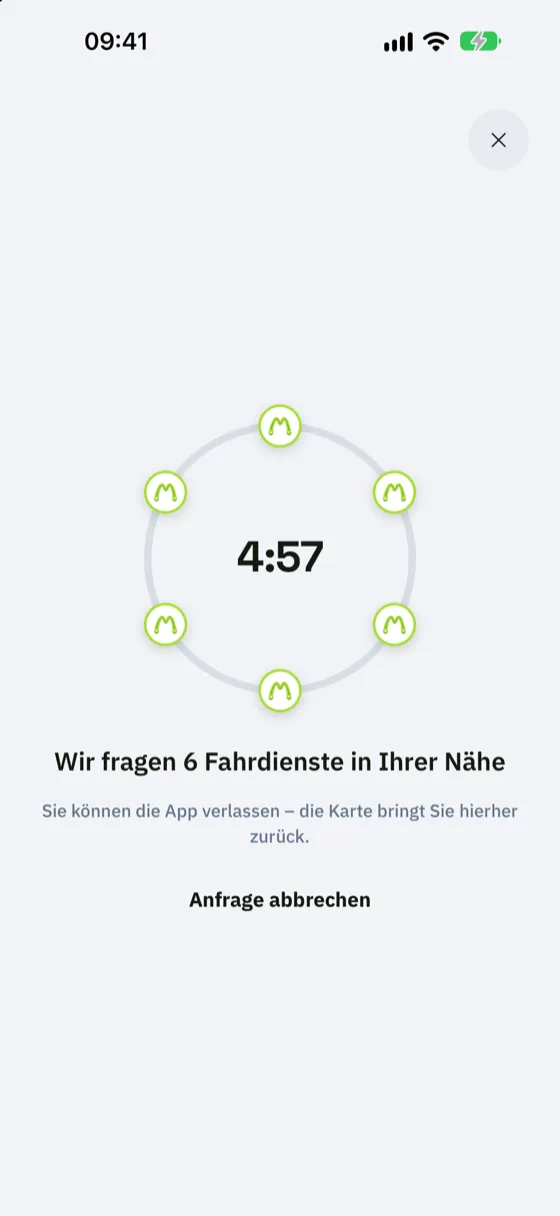
Your request goes to the transport services near you that use MitaBase. Whether one has time, you see after sending.
Accept an offer
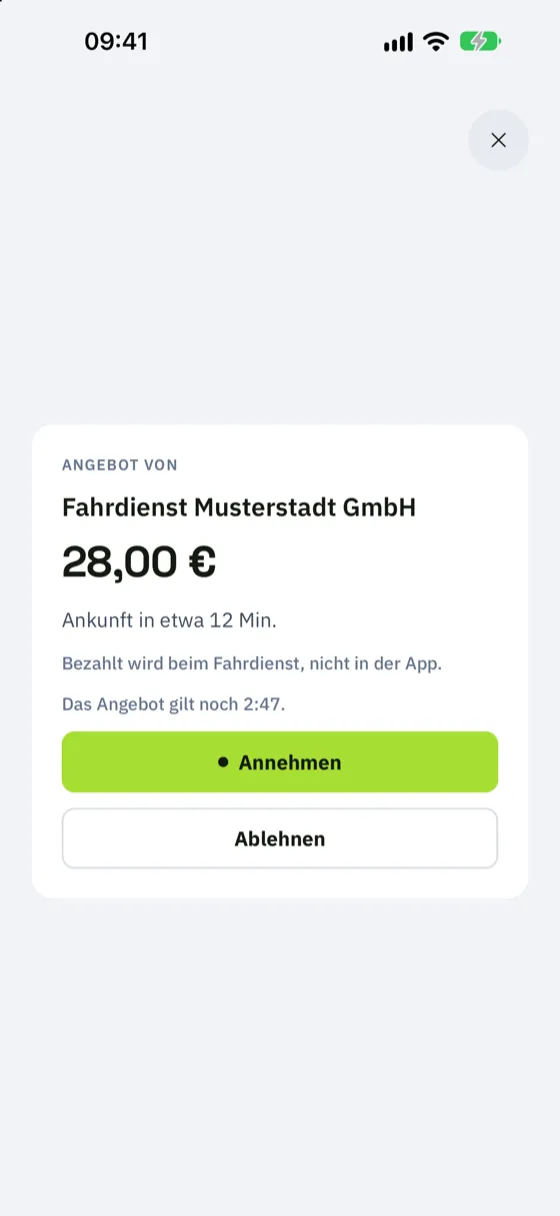
Whoever has time names a price and an arrival time. You accept an offer or decline it. You pay the transport service.
Follow the ride
You see the state of your ride and the driver’s approximate arrival time. Notices arrive when something changes.
Already have a transport service?
If it works with MitaBase, connect the app with its invitation code or QR code. Your rides then appear in the app, and you request new ones directly from it.
You decide which offer you accept.
Beforehand the services see only addresses and time. Your name and phone number go only to the service whose offer you accept.
- The transport service names price and arrival time before you accept.
- You pay the transport service, not the app.
- While your request is running you can leave the app. The map brings you back.
- You can also request a ride for another person, for example a relative.
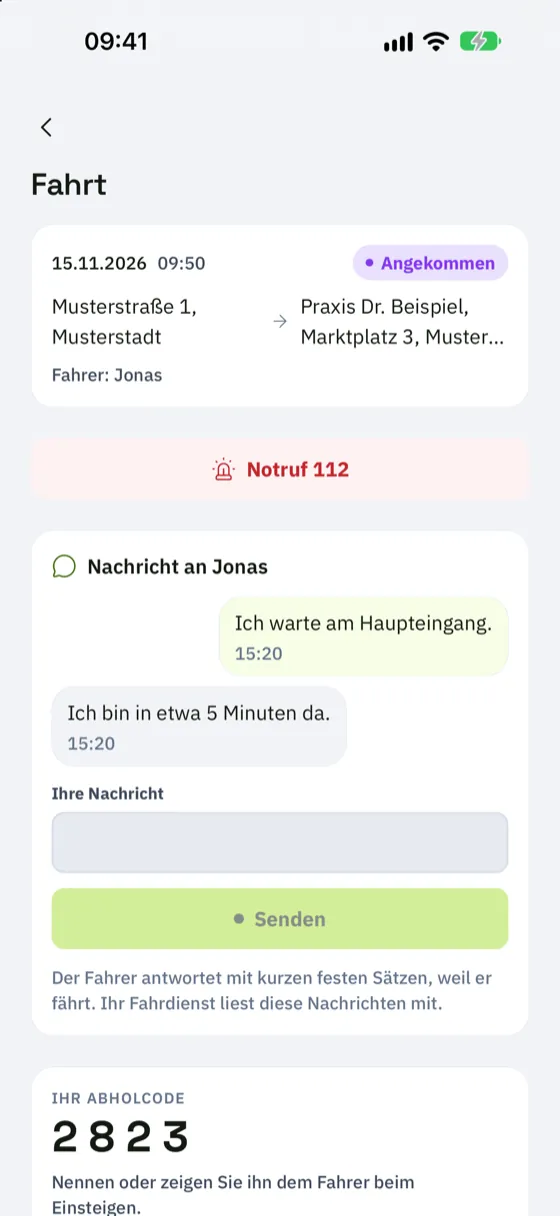
See when the driver arrives.
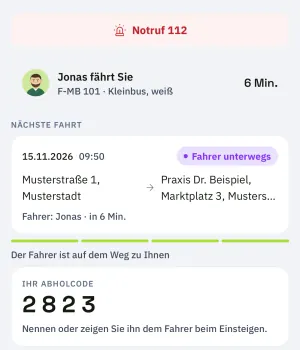
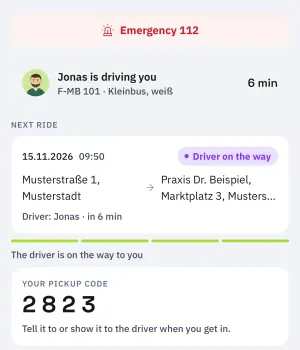
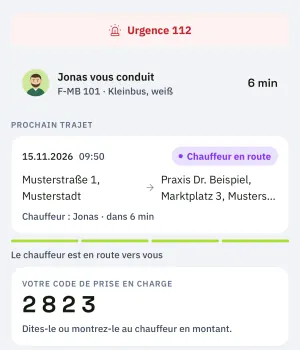
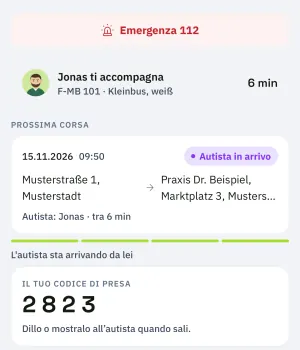
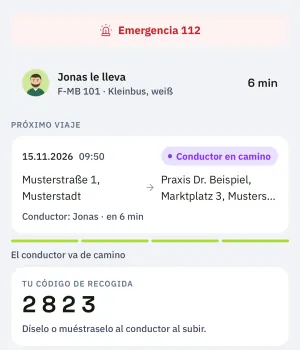
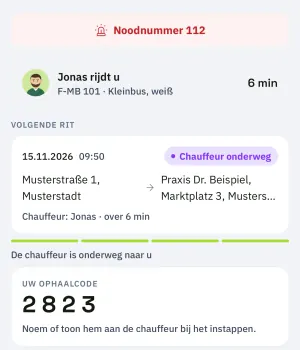
The app shows the state of your ride, the driver and the approximate arrival time. When you get in, you tell the driver your pick-up code.
- Notices when your ride is confirmed, when the driver is coming or when something changes, and the evening before.
- A short line to the driver, if your transport service switches it on. It works only while the driver is on the way or waiting at the door. The driver answers with fixed sentences, and the office reads along.
- After the ride: rate it, report a complaint and download a ride certificate as a PDF for your own records, where your transport service offers it. The certificate is not proof that a health insurer covers the cost.
For people who need help.
These settings apply only on your device. You switch them on in the app.
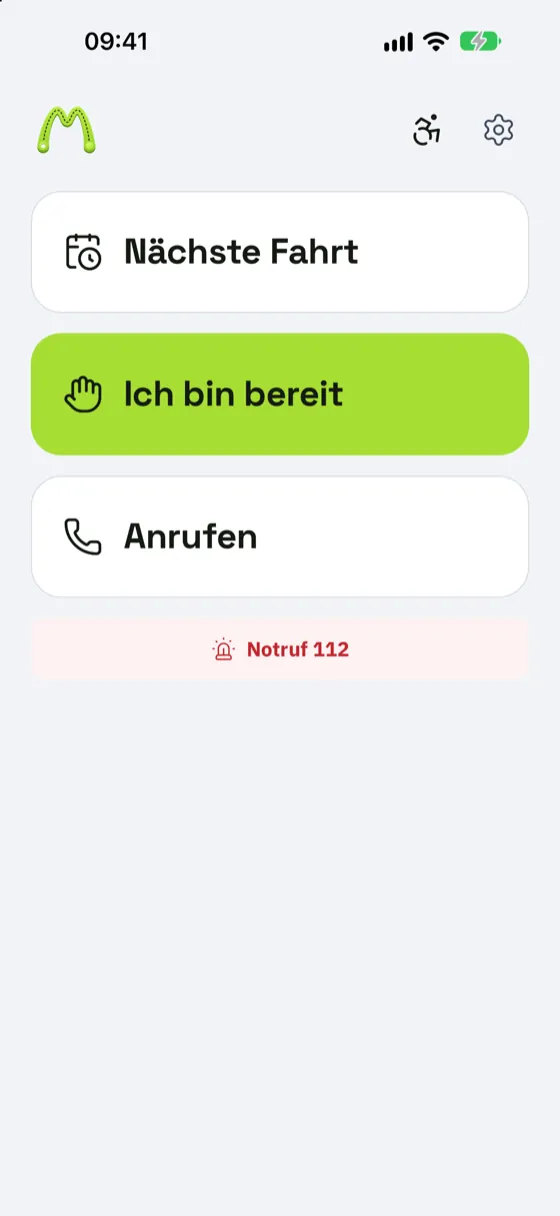
Simple mode
Large buttons, only what matters: the next ride, “I’m ready” and call.
Large type and strong contrast
For low vision: larger type and stronger colours.
Read aloud
For blind users: your next ride is read out loud.
No phone calls
For deaf users: a text message instead of a call and strong vibration for news.
A companion
Relatives or carers follow your rides in their own app when you give them a code and your transport service has switched the function on. You end it at any time.
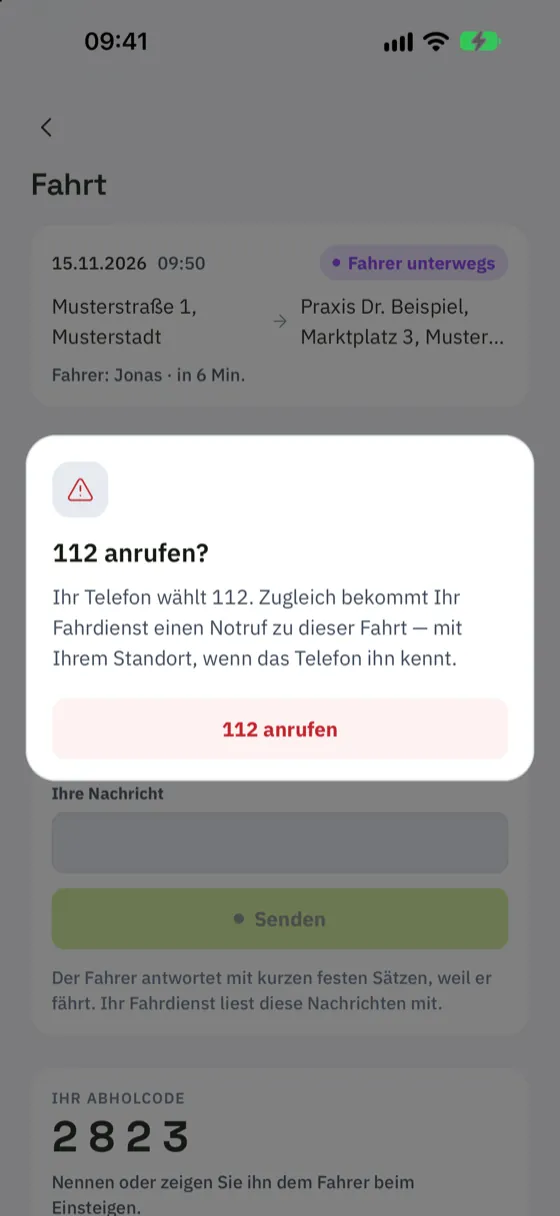
One button for an emergency.
While the driver is coming, waiting or driving, the ride shows an emergency button. After one confirmation your phone dials 112. At the same time your transport service gets an alarm for this ride, with your location if your phone knows it.
Sample data, all names invented
The app speaks your language.
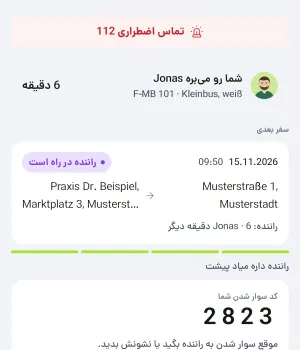
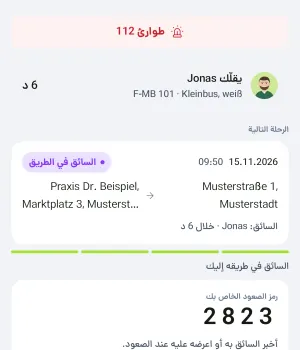
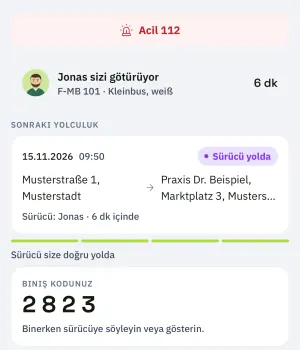
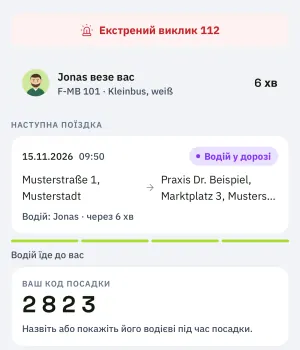
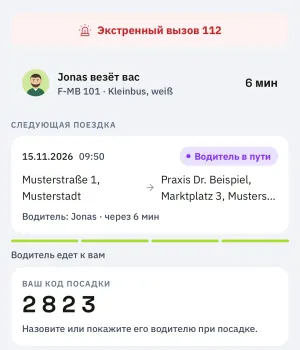
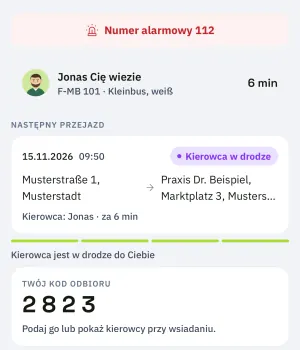
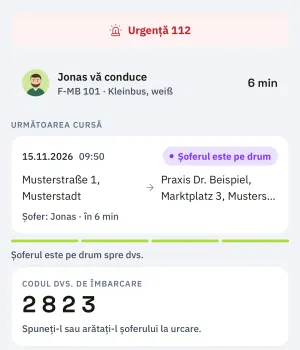
The app comes in 13 languages, some of them written right to left. You choose the language yourself, right at the start.
What else the app does
My places
Home, clinic, practice, with a note about the entrance so the driver finds the right door.
Mobility
Wheelchair, carry chair and anything else your service should know. With your consent it goes with every request.
Recurring rides
The same ride on fixed weekdays, for example to dialysis, with services that offer it.
Sign-in without a password
You receive a code by e-mail. If you like, Face ID or Touch ID protects the app.
FOR TRANSPORT SERVICES
Reach more riders.
A rider without a transport service of their own asks the services near them in the app. You name your price, the rider decides.
Only those who take part.
Only companies that take part and have accepted the data processing agreement in its current version receive a request. The function is switched on per company.
Your price.
You name price and arrival time. The rider accepts or declines. You are paid by the rider, not through the app.
Only after the yes.
Beforehand you see addresses and time, no name. You learn the rider’s name and phone number when they accept your offer.
We cannot promise how many requests a company receives. That depends on who uses the app near you.
What happens to your data
Services nearby see your request without a name. Mobility details go with it only with your consent, and the app shows before each request what is sent. Notifications on the lock screen contain no health details. The app contains no advertising and no tracking. The map is Google Maps: the app loads the visible map area from Google for it.
Passenger app privacyFrequently asked questions
What does the app cost?
The app itself costs nothing. You pay the transport service for a ride, not the app. For a request to services nearby, the service names the price before you accept.
Which transport services take part?
Transport services that use MitaBase. Only companies that take part and have accepted the data processing agreement receive a request to services nearby. Whether one near you has time, you see after sending. If your own transport service works with MitaBase, connect the app with its invitation code or QR code.
Who sees my data?
Services nearby see addresses and time beforehand, without your name. Only the service whose offer you accept receives name and phone number. Mobility details go with a request only with your consent. Everything else is in the app’s privacy policy.
How do I delete my account?
In the app under “Account” and “Delete account”, or by e-mail to info@mitabase.com with the subject “Löschung MitaBase App”. A transport service deletes the rides it holds under its own deletion policy.
Is there an app for iPhone and for Android?
Yes. For the iPhone on the App Store, for Android on Google Play, both free. You choose the language in the app.
Is the app an emergency call?
No. MitaBase is for patient rides you plan, not a rescue service. In an emergency, dial 112. The emergency button on a running ride dials 112 for you, after one confirmation.

Get MitaBase.
Free for iPhone and Android.
Apple and the Apple logo are trademarks of Apple Inc., registered in the U.S. and other countries. App Store is a service mark of Apple Inc. Google Play and the Google Play logo are trademarks of Google LLC.